Analysis · OpenAI plugins
ChatGPT Apps became plugins: what actually changed
Half the takes read the renaming as a funeral. Nothing died: the unit people discover, install, and submit changed. The thing you built did not.
Last verified . OpenAI's packaging and submission rules move fast, so details here may be stale. Check the primary sources before you migrate.
Nothing in my MCP servers changed the week OpenAI started calling everything a plugin. Same tools, same schemas, same optional UI resource. What changed is the unit people discover, install, submit, and publish. OpenAI's documentation says it directly: an app is the MCP-backed capability, a plugin is the package around it.
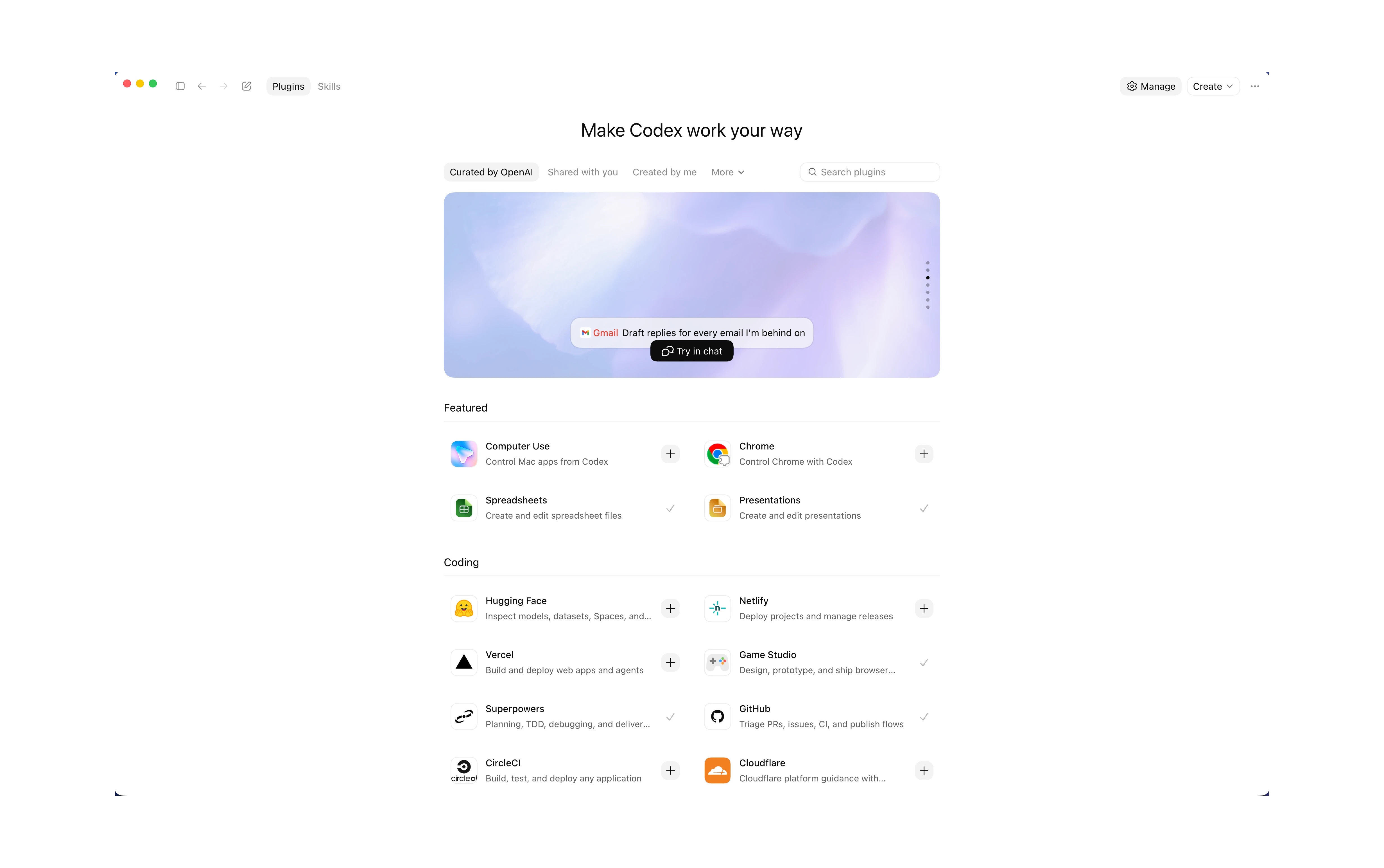
Four distinctions that should not be collapsed
An app is not a plugin
The app is an MCP-backed integration, with tools and an optional custom ChatGPT UI. The plugin is the installable package that can contain that app.
A plugin is not a marketplace
The plugin is the bundle. A marketplace is a catalog that tells a client where plugins can be found and how they may be installed.
Published is not first-party
A third-party developer can pass public review; an OpenAI-built plugin is first-party. Availability and authorship are different axes.
A shared directory is not a shared runtime
ChatGPT and Codex can discover the same package, but hosted permissions, sandbox rules, connector authentication, MCP startup, and UI rendering still depend on the host.
The shorthand misses all four. OpenAI unified distribution; it did not flatten every trust decision into one thing.
The application you built is still the application
A public MCP server still defines the tools, authentication, schemas, annotations, and the real business rules. Tools still return model-readable structured data. When a UI genuinely improves the task, it still attaches through _meta.ui.resourceUri, runs in a host-controlled sandbox, and talks to the host over the MCP Apps bridge.
The one genuine shift: OpenAI now recommends starting new UI work with the MCP Apps standard keys and the ui/* bridge, keeping window.openai for capabilities without a shared equivalent, a ChatGPT host modal, a specific file-handling API. Existing Apps SDK APIs remain supported. That is a portability improvement rather than a deprecation: the shared standard owns the common path, and the SDK still gets ChatGPT-only capabilities first.
The wrapper carries more than the app
A plugin can include an app, skills, or both. In the richer local package format it also carries lifecycle hooks, MCP configuration, assets, and marketplace metadata.
my-plugin/
  .codex-plugin/plugin.json   # required package manifest
  .app.json                   # optional app or connector mapping
  .mcp.json                   # optional MCP server configuration
  skills/                     # optional repeatable workflows
  hooks/                      # optional lifecycle behavior
  assets/                     # listing and install-surface media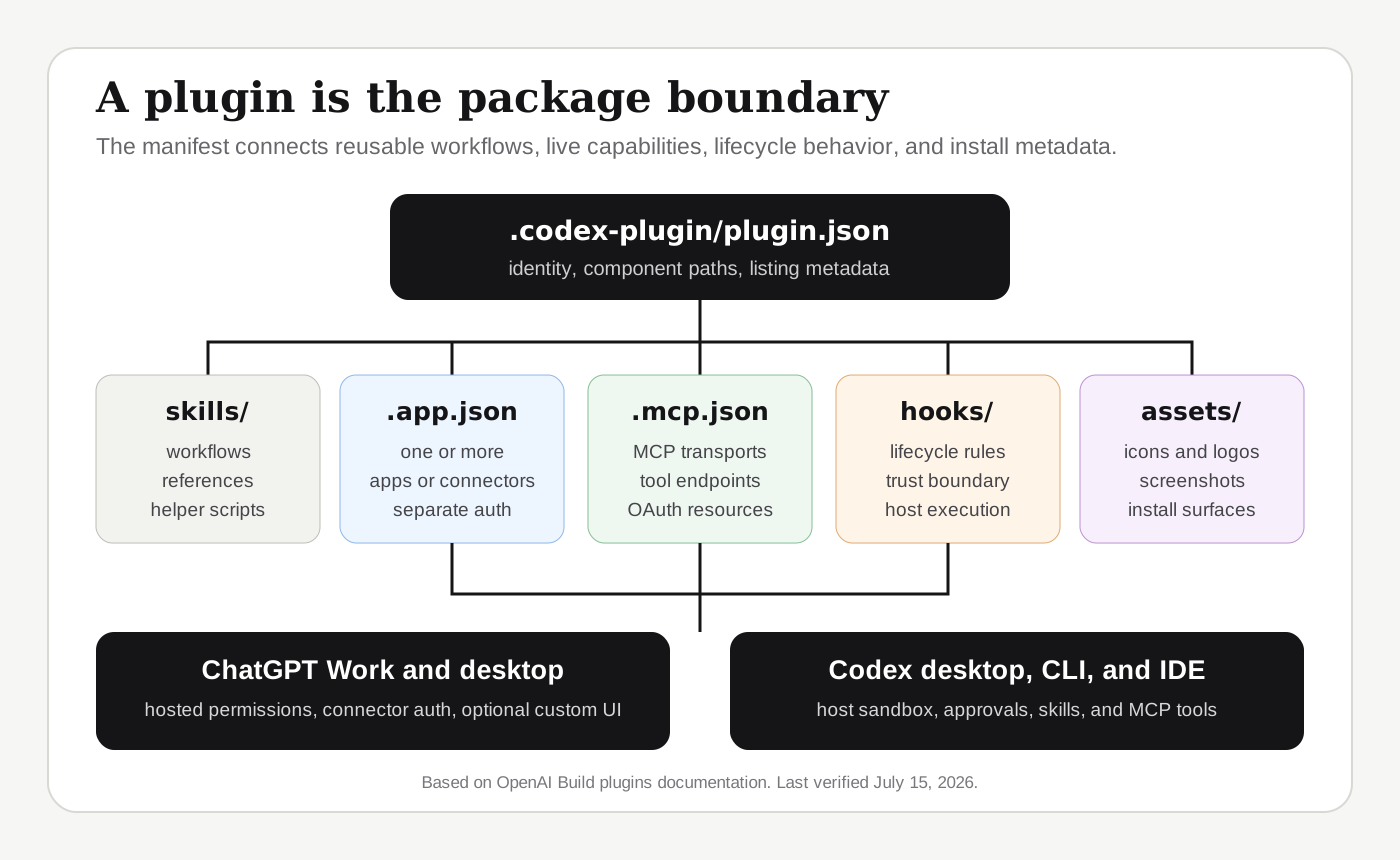
An app alone gives ChatGPT tools and, optionally, an embedded UI. A plugin can add the instructions for using those tools well: the same spreadsheet app exposes read and write tools while a bundled skill teaches the team's approval workflow, validation checklist, and output format. The product becomes what the system can do, packaged with how ChatGPT should do it.
The manifest fields are plural on purpose: .app.json maps to one or more apps or connectors, .mcp.json configures MCP servers. Figma's official package uses all three slots, referencing the hosted Figma connector and Figma's remote MCP endpoint while shipping design-to-code skills. Codex Security maps three apps in one .app.json, Linear, GitHub, and Atlassian, alongside a set of security skills.
{
  "skills": "./skills/",
  "apps": "./.app.json",
  "mcpServers": "./.mcp.json"
}

// A simplified multi-app mapping
{
  "apps": {
    "linear": { "id": "..." },
    "github": { "id": "..." },
    "atlassian": { "id": "..." }
  }
}
Nothing merges because it shares a bundle. IDs, OAuth sessions, scopes, and tool policies stay separate: installation decides what the agent knows about; each connector still decides who the user is and what is allowed.
The trust ladder
Published, shared, and installed are different claims
"Official," "published," and "installed" answer different questions. A plugin can be authored by OpenAI or a third party, distributed through a personal, repository, workspace, or public catalog, and installed or merely available. Treating those as interchangeable is how trust decisions go wrong.
| Distribution path | Who can use it | What it proves | Important limit |
|---|---|---|---|
| Personal or local marketplace | The developer's local Codex setup | The package can be discovered, installed, and exercised before publication | Local trust only; it has not passed public review |
| Repository marketplace | People working in the configured repository | The project can pin and share an approved plugin source | Repository distribution is not a public listing |
| Workspace-shared plugin | Members allowed by the ChatGPT workspace | The package has been shared inside that workspace | It does not appear in the public Plugins Directory |
| Public third-party plugin | Eligible users through the public directory | The publisher completed OpenAI's submission and review path | Public review does not make it first-party |
| OpenAI-built plugin | Users who have access to that OpenAI directory source | OpenAI is the package author or maintainer | Its connectors still have their own authentication and permissions |
A marketplace, in this model, is a source configuration: personal at ~/.agents/plugins/marketplace.json, repository at $REPO_ROOT/.agents/plugins/marketplace.json, listing one plugin or many, resolved from local paths, Git repositories, or npm.
For development, ChatGPT developer mode still hands you an app ID beginning plugin_asdk_app, which the plugin creator can drop into .app.json, so you can exercise a plugin through a personal or repository marketplace before anything goes public. Installation copies the package into the local Codex plugin cache rather than running the marketplace source in place; after a change, refresh or reinstall and start a new session. A workspace can share a developer plugin internally, but sharing does not publish it.
The public path is stricter. A public plugin cannot reference an existing, already-published ChatGPT app: you submit the production MCP server again through the plugin portal, which scans it, validates the metadata, and reviews the server directly. The documented submission package includes:
- a verified developer or business identity;
- a production MCP server and domain-verification endpoint;
- accurate
readOnlyHint,openWorldHint, anddestructiveHintannotations; - listing, support, privacy, and legal URLs;
- starter prompts and release notes;
- exactly five positive and three negative review test cases;
- skills, when the plugin includes them.
After review, the developer chooses when to publish. There is no separate apps directory; app-only, skills-only, and app-plus-skills packages land in one plugin directory across ChatGPT and Codex. A third-party package can be public and reviewed without ever becoming an "official OpenAI plugin."
The runtime split
ChatGPT and Codex share the package, not the runtime
The shared directory lets you install the same product concept in both hosts. It guarantees nothing about invocation, permissions, presentation, or lifecycle.
| Question | ChatGPT | Codex |
|---|---|---|
| How is it installed? | From the Plugins Directory in supported ChatGPT web and desktop surfaces | From the plugin directory in the desktop app or IDE, or with /plugins in the CLI |
| How is it invoked? | Directly in a task or with an @ mention where supported | Through discovered tools and instructions; a bundled skill can be invoked explicitly with $ |
| What controls execution? | ChatGPT workspace permissions, connector authentication, and hosted tool policies | The Codex host's sandbox, approval policy, local configuration, and each connector's authentication |
| What UI should be assumed? | An MCP-backed app may render a custom ChatGPT UI when that surface supports it | Skills and MCP tools are portable; a custom ChatGPT interface is not a universal CLI or IDE contract |
| When do updates appear? | After the relevant workspace or directory version becomes available and a new chat starts | After refresh or reinstall of the cached package and a new task or session |
When Codex runs a plugin, it resolves the marketplace entry, installs a versioned copy into its cache, and lets a new session discover the enabled skills and tools. Each connector authenticates separately, plugin-provided MCP servers start under their own configuration, and every tool call still runs under the Codex sandbox and approval policy. Packaging grants no extra authority; a custom ChatGPT UI renders only where the host supports that contract. Package one coherent product, then test two execution profiles: installation, authentication, tool use, and UI in ChatGPT; skill discovery, MCP startup, approvals, and a complete non-visual fallback in Codex.
The migration is seven moves
Freeze the working contract
Record the current tools, schemas, UI resource, authentication flow, CSP, and host tests. Everything after is measured against that record.
Move standard behavior to MCP Apps keys
Prefer _meta.ui.resourceUri and the ui/* bridge wherever equivalents exist. Keep window.openai additions behind capability checks, with a complete fallback.
Decide whether skills earn their place
Package repeatable workflows, review rules, or domain guidance. Do not add a generic skill merely to fill the directory.
Choose the distribution path
Personal experiment, repository dependency, workspace share, or public submission. Public means a fresh portal submission; an old app listing does not convert.
Build the package
Add the manifest, app mapping, MCP configuration, assets, and any skills or hooks.
Test installation as its own feature
Prove the package can be discovered, installed, enabled, authenticated, invoked, refreshed, and removed. A multi-app plugin still needs independent connector sessions, scopes, and failure handling.
Retest ChatGPT and Codex independently
The package is shared; the surfaces, permissions, and rendering are not. Replace stale screenshots and the visible last-verified date whenever the directory or portal changes.
What not to rewrite
Do not move authorization into a skill. Do not put business logic in the plugin manifest. Do not make UI mandatory when a tool response is enough. Do not replace portable MCP Apps calls with product-name checks. The server remains the enforcement boundary, the tool contract remains the model interface, and the UI remains an optional interaction layer. The dependency direction stays clean:
plugin distribution and workflows
  → app reference
    → MCP server tools and authentication
      → optional portable MCP Apps UI
        → optional ChatGPT-specific enhancements
Where the documentation goes quiet
- No automatic conversion is documented. The docs explain new plugin submission; they do not promise existing app listings will migrate on their own.
- No universal legacy deadline is documented. Do not invent a shutdown date for the previous listing path.
- Rollout and entitlement can differ. The directory, developer portal, and individual features vary by account or workspace.
- Custom UI support is host-specific. A plugin's skills and tools may work in Codex while its ChatGPT visual experience does not exist on that surface.
The precise claim was never that plugins replaced MCP Apps. OpenAI moved app distribution into a broader plugin model and kept the MCP-backed app as a component inside it. The app is still the exhibit; the plugin is the crate it ships in. You do not judge a sculpture by its crate. You do need the crate to get it into the building.
Primary references
- OpenAI: Build an app
- OpenAI: Skills & Plugins
- OpenAI: Plugins in ChatGPT and Codex
- OpenAI: Build plugins
- OpenAI: Submit plugins
- OpenAI plugins repository: Figma package
- OpenAI plugins repository: Codex Security package
- OpenAI: MCP Apps compatibility in ChatGPT
- MCP Apps extension overview
- MCP extension support matrix
- MCP maintainers: MCP Apps launch and standardization
- Luana Fronza: Resend UI inside ChatGPT
- Greg Brockman: full applications inside ChatGPT
- Vaibhav Srivastav: open-source Codex plugin examples
- David Cramer: combining Sentry MCP tools with skills
- AI Engineer: combining skills and MCP to close the context gap
- AI Engineer: why MCP and ChatGPT apps use nested sandboxed frames